How it works
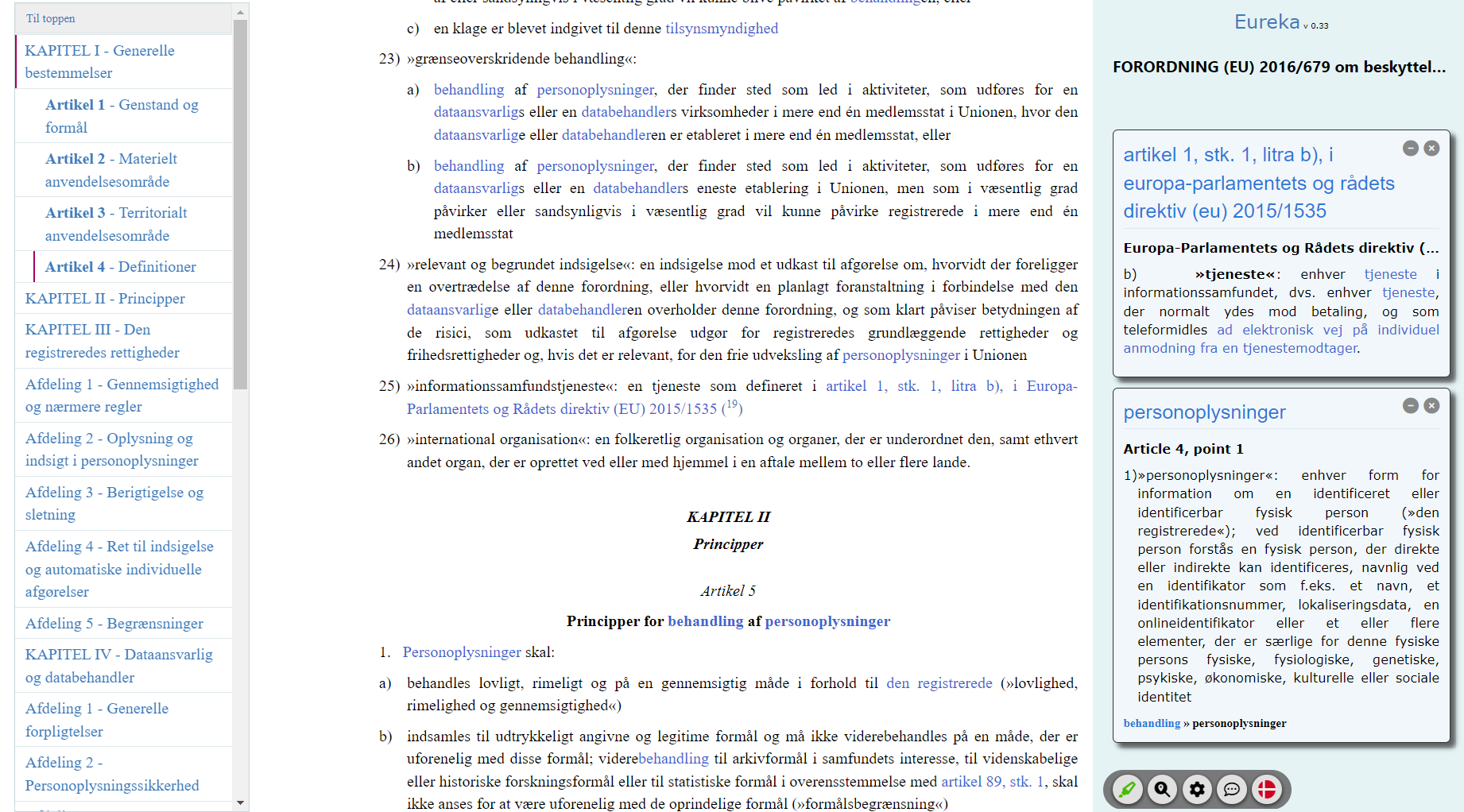
On EUR-Lex itself, in the HTML view of an act
- Open an act on eur-lex.europa.eu in the HTML view. Eureka adds to that page and does not replace it. It does nothing on the PDF or Official Journal views.
- Defined terms and references in the text become links. Clicking one opens a card in a sidebar on the right, next to the text you are reading. Links inside a card open further cards.
- The sidebar also holds the table of contents, a glossary of the act's defined terms, the act's status (in force, consolidated, no longer in force), its events, the timeline, the case law and the versions.
- Definitions and articles are shown as published on EUR-Lex; the text of the act is never paraphrased. Some features are AI-generated evaluations (translation notices, timeline entries, summaries of changes, corrigenda verdicts). Each one is marked "AI" and may be wrong.
Eureka is in beta
Everything is included free of charge while the beta lasts. If something does not work on a page, please tell us through the contact form below and include the page's address.
Pricing
Free during the beta. Afterwards there will be two plans: Basic (definitions, references, structure, status and events) and Pro (adds case law, timeline, what changed, AI translation notices and e-mail alerts). Students with a university e-mail address get Pro free, and new accounts get a one-month trial of Pro.
Frequently Asked Questions
-
Eureka does not change the EUR-Lex page I am reading
Eureka only works on the HTML view of an act (the address contains
/TXT/HTML/), not on the PDF or Official Journal views. Choose "HTML" among the formats offered for the act on EUR-Lex. If it still does not work, please contact us with the page's address.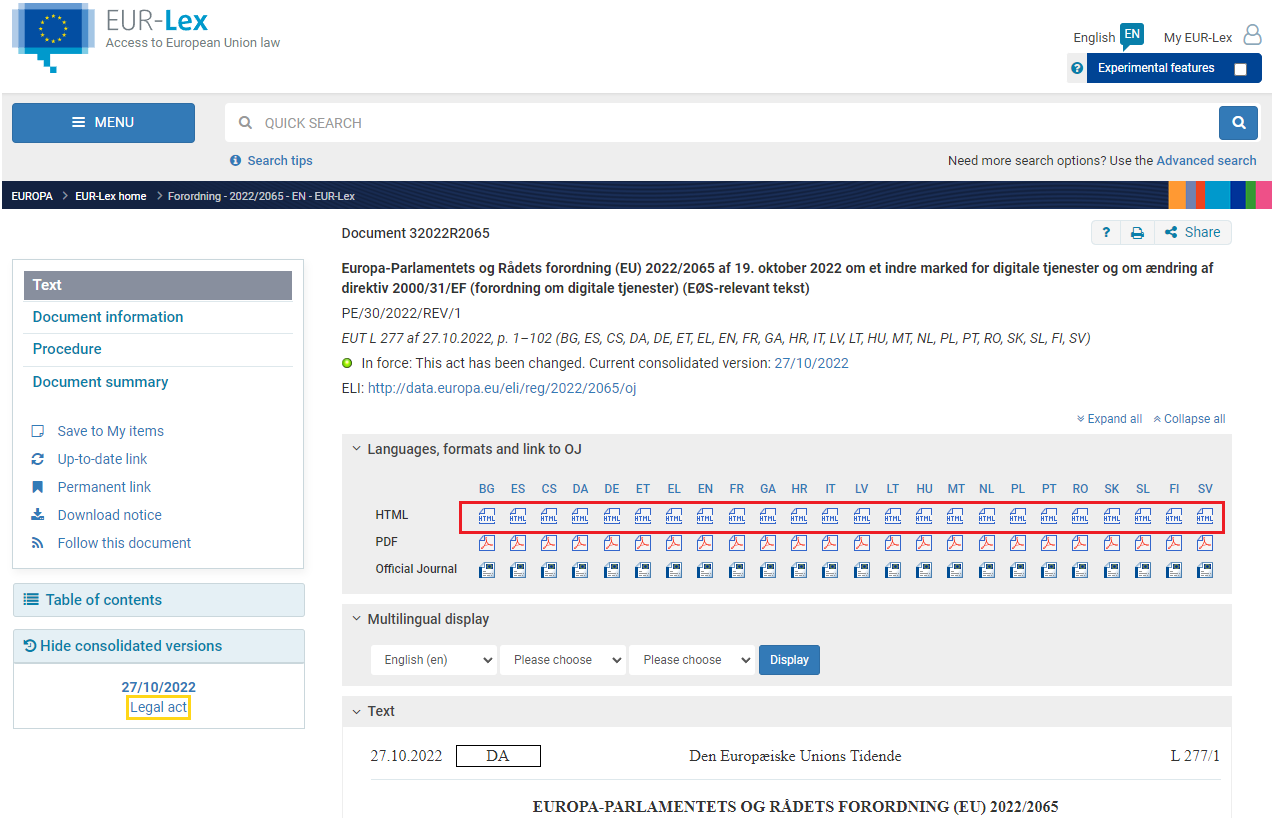
-
I cannot add Eureka from the Chrome Web Store
On a company computer, the IT department often has to allow the extension first. The page For IT departments gives them the extension id, the policy settings for Chrome and Edge, and what data the extension sends. Browsers other than Chrome and Edge are not supported.
-
Can I rely on the AI-generated content?
Not on its own. AI-generated evaluations are marked "AI"; they are aids to reading, not legal advice, and they can be wrong. Definitions and articles are shown as published on EUR-Lex. Only the Official Journal of the European Union is authentic.
-
Do I need an account?
No. The extension works without signing in. An account is needed for e-mail alerts and to keep your follows when you use Eureka in more than one browser. Install explains how to sign in from the extension.
Contact
If you have questions, suggestions or anything else, please let us know below.